

What is Mercur
Mercur is the open-source enterprise marketplace platform. It gives a marketplace operator real governance over sellers and their teams, onboarding, the catalog change pipeline, commissions, order splitting, and vendor payouts. Role-based access control, an auditable change pipeline, and per-seller settlement back all of it, while it stays composable, API-first, and fully code-owned. You run it on your own infrastructure. Core commerce runs on the proven Medusa engine, so products, pricing, carts, orders, fulfillment, and payments are mature and maintained from day one, and Mercur focuses on the marketplace domain on top.Requirements
- Node.js v20+ (LTS)
- Bun v1.3+ (recommended package manager)
- Git
- PostgreSQL v14+
Create a project
Create a new project with the CLI. It downloads a template, installs dependencies, creates and migrates the database, seeds data, and starts the dev server.basic or plugin), then
handles the rest. Useful flags:
Open your marketplace
Once the dev server is running, the surfaces are available at:
You don’t need to create any accounts to start. When the CLI finishes, it opens
the admin invite page at
http://localhost:9000/dashboard/invite with a token
already filled in for admin@mercur-test.com. Set a password there and you are
signed in as the operator.
The seed also creates three approved demo sellers, so you can sign in to the
Vendor Panel right away. There is no registration or approval step to go through.
To add a brand-new store instead, open the Vendor Panel and register at
http://localhost:9000/seller/register, then complete the onboarding wizard. The
new seller appears in the Admin Panel’s approval queue.
Restart the dev server any time from your project directory:
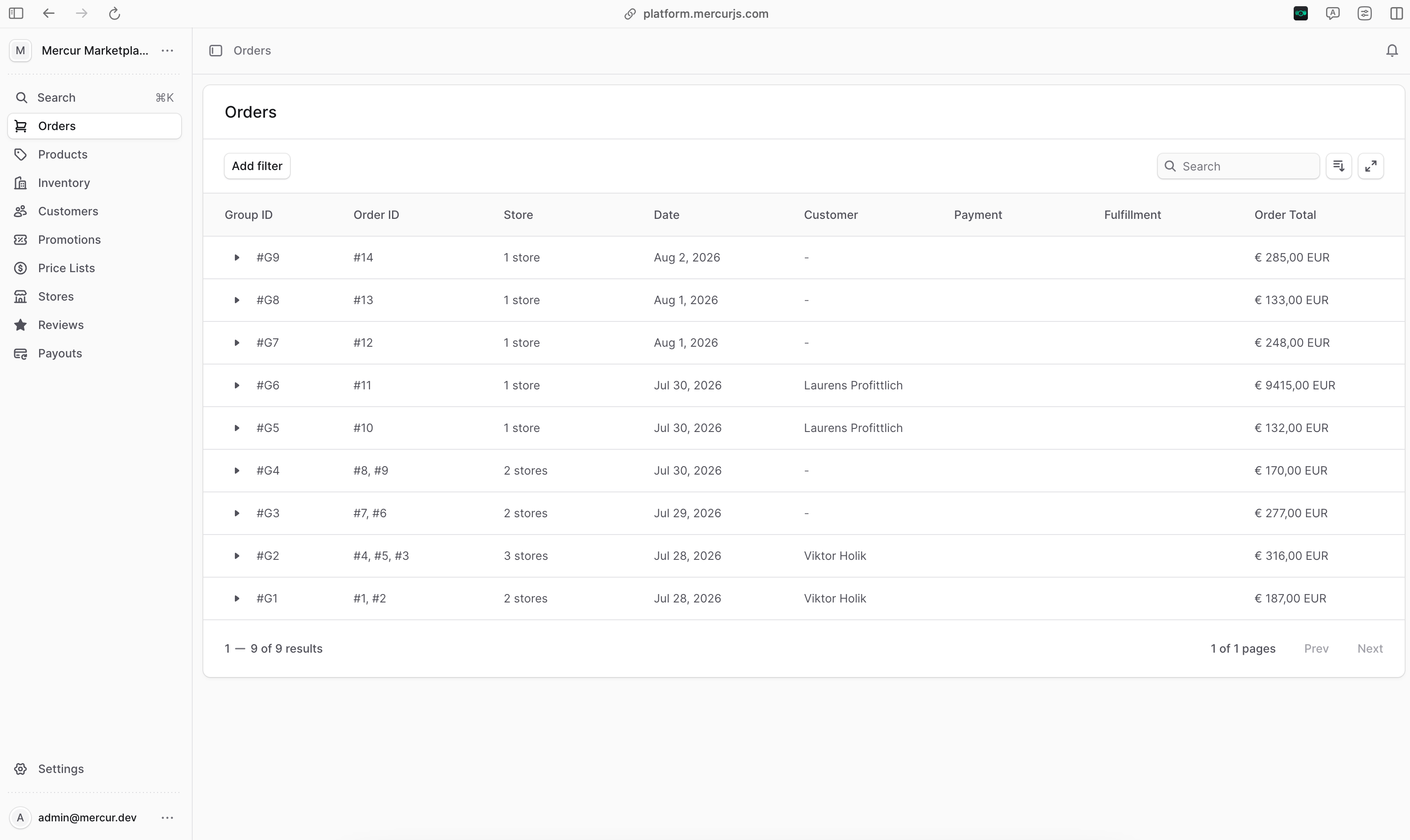
Tour the platform
A Mercur project ships three role-based surfaces, one per audience. Each is backed by the same marketplace modules and governed by role-based access.Admin Panel
The operator dashboard at/dashboard. This is where you run the marketplace.
- Govern sellers: approve, suspend, or terminate stores, and manage their members and roles.
- Review catalog changes: every seller edit lands in an approval queue as an attributed, immutable change you confirm or decline.
- Set the economics: configure commission rules across products, categories, and sellers.
- Watch the money: see orders across every seller and monitor payouts marketplace-wide.
Vendor Panel
The seller portal at/seller, scoped so a seller only ever sees its own store.
- List products: create offers against the shared catalog with a seller’s own SKU, price, inventory, and shipping.
- Fulfill orders: view, fulfill, and refund orders, and handle returns.
- Get paid: complete provider onboarding and track payouts.
- Run a team: invite members and assign roles.
Store API
The storefront API under/store/* that your customer-facing frontend talks to.
It exposes marketplace discovery (sellers and offers) and a cart that can span
multiple sellers, then splits it into per-seller orders at checkout.
How a multi-vendor order flows
The clearest way to see what the platform does is to follow one order from cart to payout. A single customer cart can hold items from several sellers.1
One cart, many sellers
A customer adds offers from different sellers to a single cart through the Store API.
2
Checkout splits the cart
Completing the cart runs the split-order workflow. Items are grouped by seller, and a separate order is created for each, all linked under one order group with a shared display id.
3
Commissions are calculated
For each order, Mercur resolves the matching commission rule and records the commission lines. All arithmetic uses arbitrary precision, so totals stay exact.
4
Each seller is settled
Payment is split across the per-seller orders, and each seller’s earnings settle to their connected account through the payout provider, minus commission.
Next steps
Architecture
How the marketplace platform is architected, module by module.
Platform
Every marketplace capability, with its data models and workflows.
Build with AI
Bundled docs, agent skills, and the MCP server.